No Need for a Constant Computer, Permanent Internet, and Server.. How to Create Your Digital Agent
A few months ago, creating a digital agent was a technical project that required a device to run continuously, software, and an intelligent model that could be run locally or accessed online, then linking all of that to the services the user needs in their daily life.
Ofoq News
·8 minutes read
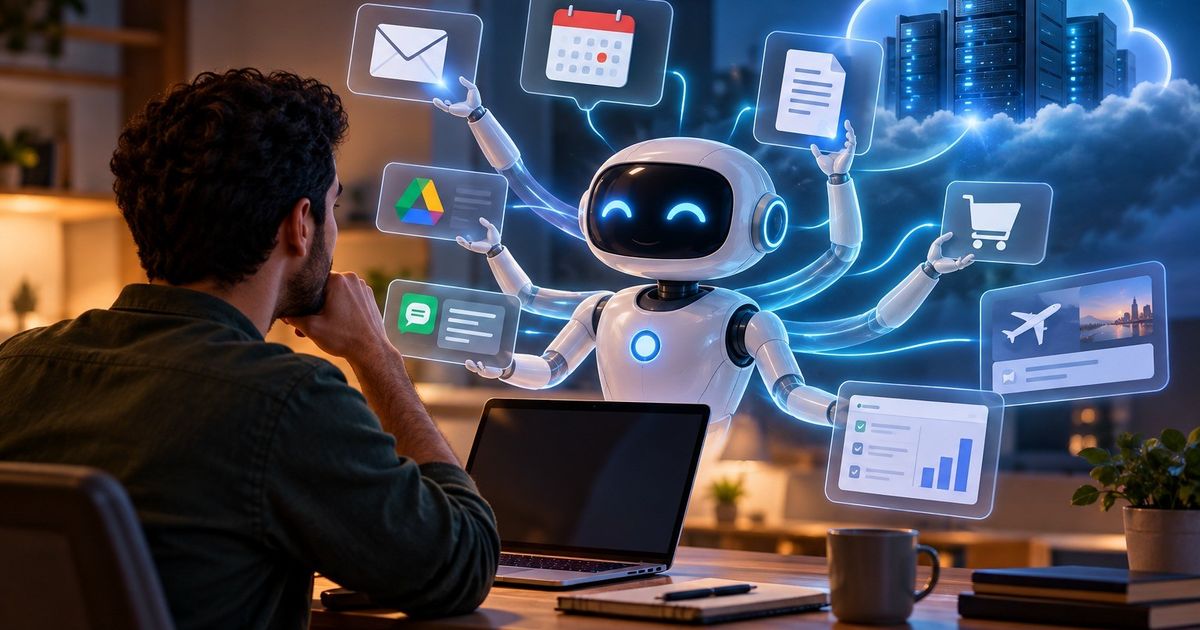
A few months ago, creating a digital agent was a technical project that required a device to run continuously, software, and an intelligent model that could be run locally or accessed online, then linking all of that to what the user needs in their daily life services.
However, the scene has changed rapidly; artificial intelligence companies have begun to provide each user with something resembling a 'personal computer' in the cloud, where the digital agent resides, remaining available for work even when the user shuts down their computer or phone.
From here, the idea of a 'personal digital agent' emerged, which goes beyond chatbots that wait for a question to answer, to systems that recognize the user, their preferences, and goals, linking to their email, calendar, files, and applications, and capable of executing a series of tasks on their behalf.
The 'Muse Charm' application has gained rapid popularity and boosted Meta's stock, but its ban from Amazon and privacy concerns are testing users' trust in AI agents.
One of the practical beginnings of this concept appeared with the spread of open-weight AI models, which allowed users to run language models directly on their devices, instead of sending every request to the servers of companies like OpenAI, Google, and Anthropic.
At that time, running the model was not enough to create a digital agent; the model represents the "mind," but it needs memory and tools that allow it to handle files, the internet, and applications, as well as a mechanism that enables it to operate continuously and receive commands even when the user is not sitting in front of the computer.
Therefore, projects like OpenClaw emerged, which acts as a framework for the user hosting their AI assistant, and can be run on Mac, Linux, or a virtual server, and accessed through applications like WhatsApp, Telegram, Slack, Signal, and iMessage.
Users can connect OpenClaw to an AI model that operates online, such as OpenAI models or Anthropic, or run the model locally using tools like LM Studio, Ollama, and llama.cpp.
Here, there is an important distinction, which is that running OpenClaw on the user's device does not necessarily mean that the AI model itself is running locally.
It is possible for the agent, its memory, and its tools to reside on the home computer while relying on a model located in the cloud for thinking processes; the more independent scenario runs both the agent and the model on the same device, which requires more memory and processing capabilities as the model size increases, and in both cases, an Apple Mac Mini is considered an ideal choice for this task.
The answer that the technology sector has started to provide in recent months has been simple: "Don't buy a computer at all."
Instead of having a small device operating at home, the company can run a permanent virtual computer in its data centers, placing the digital agent, its memory, and its tools inside, and then allowing the user to interact with it from their phone or computer.
This is precisely the model that has emerged with a new generation of personal agents like Muse from Meta, Instinct, and finally Dots from OpenAI.
Meta describes Muse as a personal agent that not only answers questions but can also perform tasks on behalf of the user.
Each Muse agent lives inside a dedicated virtual device in the cloud called Muse Secure VM, which has its own browser, and contains the agent's data and the necessary information to access the services that the user allows it to connect with.
The agent can continue working even after the application is closed, while the user can communicate with him as if sending a message to someone else, either from the Muse app or via WhatsApp.
OpenAI adopts a similar idea with Dots, where each "Dot" has its own computer and browser in the cloud, and can continue executing tasks even when the user's own computer is turned off.
Instinct is closer to the idea of a traditional personal assistant; it can be communicated with via messages or calls, while it interacts with the phone, computer, and applications in the way a human assistant might.
Thus, the technical burden has almost completely shifted from the user to the company.
Dots also allows for identifying connected applications and permissions, and setting rules that prevent certain actions or require user approval.
However, security measures do not eliminate risks entirely; weeks after the launch of Muse, a report revealed a security vulnerability that could have allowed access to sensitive personal data stored within users' virtual devices, prompting Meta to enhance security warnings in the service.
Practical experiments with agents showed that the error does not always require a security breach; the agent itself may misunderstand the request, deal with inaccurate information, or execute an action that the user did not intend.
In one published experiment using a personal agent, executing a task led to the deletion of data from the user's account on Notion, in an example that reveals the differing cost of the error when artificial intelligence moves from suggesting what to do to having the ability to actually do it.
There is no one-size-fits-all answer for all users; running a personal agent on a private device gives the user the highest level of control, as they can choose the model, where to store data, and the tools the agent uses, and they can keep a large portion of their data away from the cloud.
However, this comes at an initial cost for purchasing hardware, along with the time required for setup, updates, maintenance, and dealing with technical issues, and if they want to run large models locally, the memory, processing, and cost requirements increase rapidly.
The cloud agent removes most of these complexities, as the user does not need to buy a Mac mini, or run a server at home, nor do they need to think about how much memory the model requires; all they need to do is open the application, connect the services they want, and then start assigning tasks to their personal agent.
However, the cost of the cloud option is not monetary; as the agent becomes more capable of managing the user's life, it needs to know more about it and gain greater permissions within it, and thus it needs to store that data on the servers of the company that developed the agent, and the user must trust those companies' promises regarding their procedures to secure their encrypted data.
The most interesting part of the smart agent is the practical application of the above; to start using your personal smart agent, you must choose between running it locally on your own computer or selecting one of the smart agents available in the cloud.
If you choose local operation, you will need to purchase a powerful computer with sufficient RAM, a graphics card, and a high-performance processor to be able to run your personal digital agent locally, and one of the best available options for this is the Mac mini desktop devices.
After that, you choose one of the open-source agents, such as OpenClaw, which is a personal agent that runs on your device and connects to chat, email, calendar, and file applications, and can be installed on macOS, Linux, or WSL2 with a single installation command, while a Hub version is available for Windows users to assist them in setup and monitoring from a simpler interface.
One of the available alternatives is AgenticSeek, a local assistant focused on privacy, capable of browsing the web, writing code, and planning tasks without relying entirely on the cloud, but it often requires more setup steps than OpenClaw, such as installing the project from GitHub, running the installation file, and linking it to a local AI model.
StepFun has launched the StepX Neo phone, which it describes as the world's first commercial smartphone based on the concept of smart agents (Agentic AI), changing the user experience.
There are other more specialized tools, such as Open Interpreter, which transforms the AI model into an assistant capable of handling files, programs, and browsers through text commands, and OpenHands, which is closer to an engineering agent for developers and programming task management, thus suitable for more experienced users and not the easiest option for non-professional beginners.
In practice, the average user does not need to understand all the details of programming; the basic steps are to install the tool from its official website, then run the installation file, after which they choose the AI model that the agent relies on, and then gradually grant it the required permissions, such as access to email, calendar, or files. It is best for the user to start with limited permissions and to ask the agent to perform simple tasks first, such as scheduling appointments or summarizing files, before allowing it to send messages, modify data, or execute commands on the device.
From work tasks to details of daily life, the idea of a digital agent emerges as an intelligent assistant capable of executing commands on behalf of the user and directly interacting with a large number of applications.
However, if the user prefers the option of cloud agents, they save themselves the hassle of hardware setup, digital knowledge, and financial cost. They will have to choose from many agents that are already ready for use, such as Instinct, which is available on iPhone and Android phones within the iMessage messaging service as well as WhatsApp. Users can subscribe by registering on the waiting list available on its official website, or choose from other cloud services, such as Grok Bot from xAI, Dots from OpenAI, and Cue by Manus. These services provide users with agents that operate through independent cloud computers, capable of following tasks even after the phone or computer is turned off, and working within applications and tools linked to the user's accounts. Access to these services varies; Grok Bot is available through some SuperGrok and Cursor plans, while Dots is included in ChatGPT Pro and Business Premium plans, whereas Cue offers an experience closer to a mobile app that allows users to create agents for daily tasks.
In all cases, the concept of the cloud digital agent is based on linking it to the services, applications, and websites that the user relies on daily for personal use or work tasks, such as email, calendar, file services, or work tools. It then grants the agent gradual permissions to perform tasks such as summarizing messages, organizing appointments, tracking work, or preparing drafts, while ensuring that sensitive decisions, such as payments, sending messages, or deleting data, remain subject to the user's approval.
Source: Ofoq News
Suggested
Read also
 Politics
Tripartite Meeting Between Egypt, Chad, and Libya Discusses Security in the Sahel and Sahara Region
 Politics
United States.. Woman Arrested on Suspicion of "Espionage for China"
 Politics